
SaaS Pharmacy management
PharmaCloud: run the counter, stock and reports in one place.
A pharmacy management platform for sales, inventory, prescriptions and reporting. See how it could fit your workflow in a guided demo.
- Point of sale and inventory
- Prescriptions and online orders
- Access confirmed by enquiry
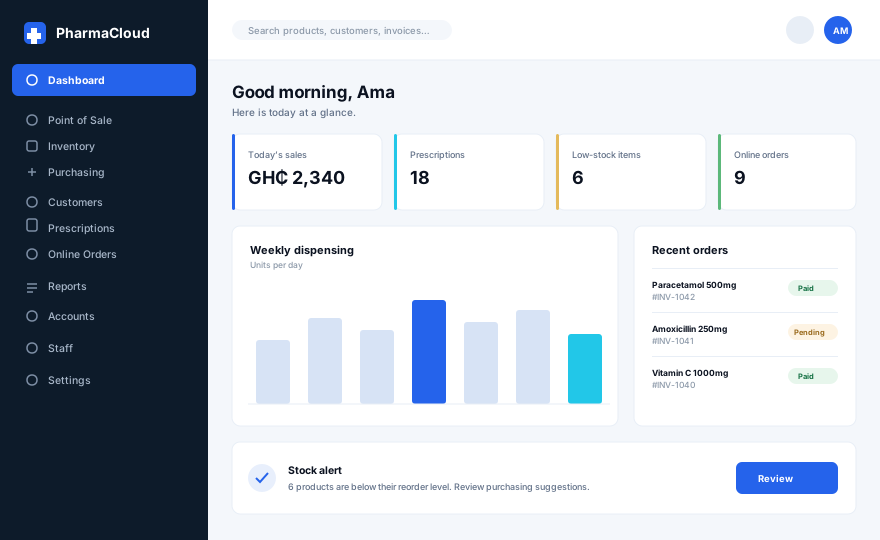 Illustrative dashboard
01 Features
Everything the pharmacy team touches each day.
Confirm current capabilities and any modules you need in a demo.
Point of sale
Counter sales with barcode search, discounts and cash, card or mobile money payments.
Inventory and purchasing
Stock levels by branch, batch and expiry tracking, low-stock alerts and purchase orders.
Prescriptions
Record prescriptions against sales and flag items that need one before checkout.
Customers and online orders
Customer records, order history and online orders in the same workflow as the counter.
Reports
Daily sales, dispensing, stock movement and account summaries for the team.
Staff and access
Staff accounts, roles and permissions, with settings for each branch.
02 Screens
See it in context.
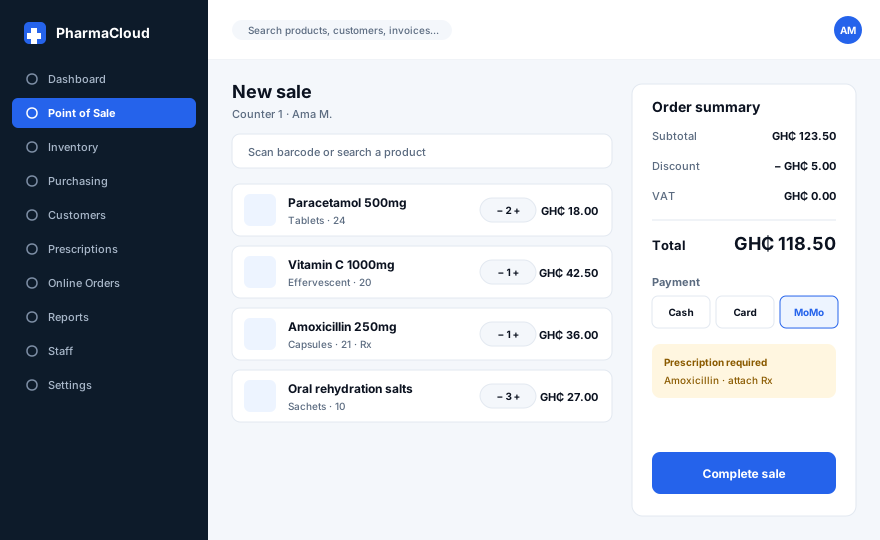
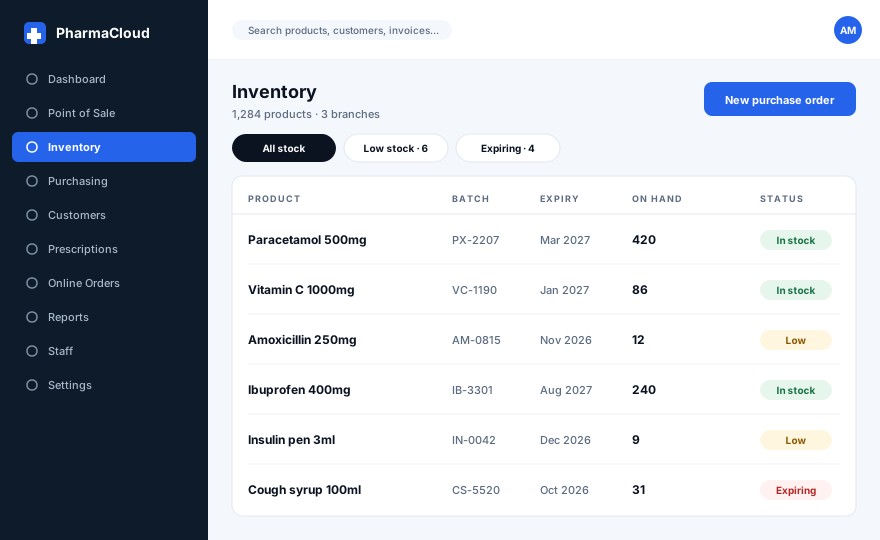
Illustrative screens. Confirm current features in a demo.
03 How a demo works
Bring your workflow questions.
-
Tell us how you work
Branches, users, the systems you use today and what slows the team down.
-
See your workflow
We walk through sales, stock, prescriptions and reports using your scenarios.
-
Agree the next step
Access, migration, training and support are confirmed in writing.
04 Questions
Before you choose a platform.
Share your setup and we will answer these for your pharmacy specifically.
What should we prepare before a demo?
Can PharmaCloud work across several branches?
Can we move our existing records?
How is our data protected?
PharmaCloud
See PharmaCloud with your own workflow.
A guided demo is the quickest way to confirm features, access and pricing for your pharmacy.